Friday, 3 July 2015

The Top Five Kissmetrics Reports Every Ecommerce Marketer Needs

Today’s ecommerce marketers have a tough job. Their main objective: get the messaging out about the store and deliver sales. You have the website at your disposal and a mediocre advertising budget.

The challenge for you, as an ecommerce marketer, is how do you compete against a service like Amazon? They’re big, they can undercut your prices, and they can handle low margins while you cannot.

You need to optimize everywhere you can, including your funnel and your marketing channels, and you need to build a loyal customer base. Fortunately, Kissmetrics is here to help. Our software provides insights that can help visitors into customers. And once you get those customers, we provide data that can help you acquire more of the loyal ones.

Let’s see how.

1) Purchase Funnel – See Where You’re Losing Customers

Every website has a set of steps visitors need to go through before they can purchase. The Kissmetrics Funnel Report is used to help marketers identify the areas of their website where visitors depart. Once they identify those areas, they can then A/B test their way to growth.

Here’s how a funnel for an ecommerce site might look:

ecommerce-purchase-funnel

What we know from viewing this graph is that visitors have two big roadblocks to becoming customers. Of those who view the product page, only 33% convert to adding a product to their cart. And once they do add a product to their cart, only 13% of them end up purchasing. If you’re a marketer and this is your data, you know you can do better than a 13% conversion from cart to purchase. And if you do improve, you’ll end up getting more purchases for your company. Cha-ching!

To get you on your path to increased purchases, you’ll need to run A/B tests on the product pages and throughout the shopping cart checkout process (more on that later). You can create your A/B tests in whichever tool you use – Optimizely, VWO, etc. – and then track the results with the Kissmetrics A/B Test Report.

The cool thing about this report is that you can see how an A/B test impacts your entire funnel. So if you run a test on the product page, you can see how it impacts further on down the funnel, all the way to the purchase! You aren’t limited to testing only to the next conversion step.

You can also set up a funnel to view how people move through the checkout process. Let’s get into that now.

2) Funnel Report – See Where Customers Drop Off in the Checkout Funnel

You can break funnels into two categories – macro and micro. The macro funnels take a bird’s-eye view of your site, often viewing your whole site. The purchase funnel is a lot like that. It goes from the start of the funnel all the way to the end. A micro funnel allows marketers to zoom in and see a specific flow within their site. A funnel report on the checkout funnel is one example.

Here’s how it might look:
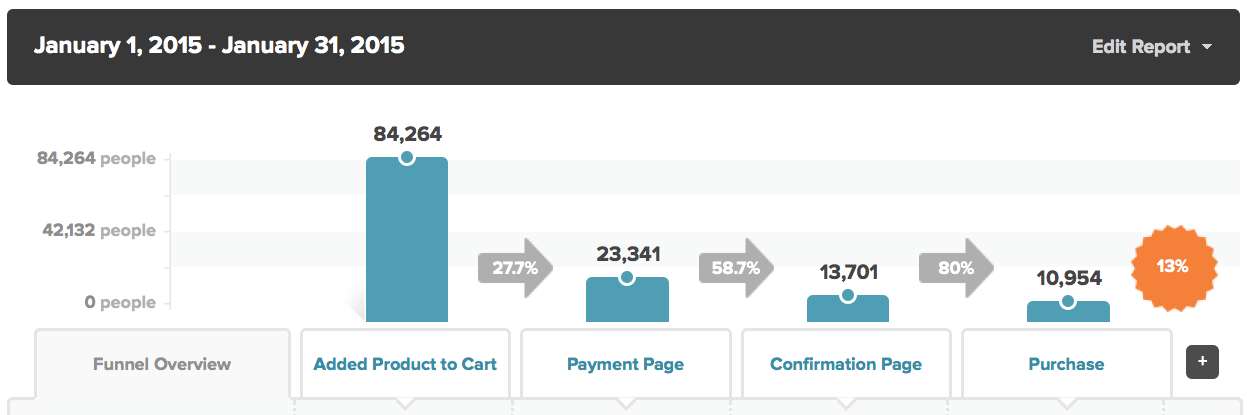
ecommerce-checkout-funnel

Looking at this graph, where would you say drop-off is occurring?

Without question, most people who end up putting a product in their cart don’t even advance to the next step in the funnel (the Payment Page). If we can increase the people who convert from the Added Product to Cart page to Payment Page, we’ll have a pretty linear increase in purchases.

So if you’re a marketer and you want to increase conversions (who doesn’t), here’s what you do:

  • Use the Kissmetrics Funnel Report to see where visitors are dropping off.
  • Run A/B tests on those pages. Track the tests in the Kissmetrics A/B Test Report. The more tests you run, the more winners you’ll find, and the more purchases you’ll bring.

With Engage from Kissmetrics, you’ll be able to put modals on your site that can increase conversions. A lot of our customers have experienced a conversion boost by using Engage.

The best marketers are able to drive loyal customers. Lucky for marketers, Kissmetrics has a report that shows marketers where their most loyal customers come from.

Click here to watch a short demo of the Kissmetrics Funnel Report.

3) Cohort Report – Find Customers Who Repurchase

Businesses live and die on their ability to attract and retain customers. To track customer retention, marketers can create a cohort report that shows them how often customers come back and repurchase products. They can even group them together and see which products or product lines have people coming back for more.

A cohort is a group of people who share a common characteristic or experience within a defined period. For example, people who purchased from your site during April are in a cohort because they all did one thing (purchase) during a defined period (April).

Taking this a step further, the Kissmetrics Cohort Report allows you to group people by any characteristic and then segment them by any property. Let’s see this in action.

We want to track repurchase rates (i.e., people who purchase, then purchase again). We can find those people, but what do we group them by? Time? Marketing channel? Product? Product category? As long as you’re tracking the property in Kissmetrics, you can segment people by it.

Let’s use marketing channel as our example. This segments people by the channel they came from. The higher the percentages (darker shade of blue), the better.

channel-purchases-cohort-report-kissmetrics

On the left side we get the number of people from each channel who have purchased. This is not a traffic report. We’re looking at purchases. We see that most of our purchases are from people in the Social channel. The right side (all the blue shaded cells with percentages in them) shows us how many of those people came back and purchased again, by month.

Social looks like it delivers a lot of purchases and repurchases. If we can acquire more people from this channel, chances are we’ll be acquiring loyal customers. The more targeted we can make our marketing, the more loyal customers we’ll attract. And businesses that win have loyal customers.

As mentioned above, we aren’t limited to grouping people only by channel. We can group them by product (see which products get the most repurchases), product line, any UTM parameter, time, etc. As long as you track it, you can get the data that matters to you.

Click here to watch a short demo of the Kissmetrics Cohort Report.

4) Revenue Report – See Which Products Bring the Most Valuable Customers

Your revenue is probably coming from dozens (hundreds) of sources. Maybe a feature on CNN got you a ton of orders, or you get a lot of purchasers coming from Google searches.

The Kissmetrics Revenue Report is used to segment your revenue and see which sources are bringing you the most valuable customers. Here is how it could look for a company selling clothes:

kissmetrics-revenue-report-ecommerce

We’re segmenting revenue by collection (aka product category). The In-House Generic Tees bring tons of revenue (over $630k) and customers (over 9,700). The other metrics (average revenue/person, lifetime value, and churn) tell us how valuable these collections are for our business. We want high numbers on average revenue/person and lifetime value, but low percentages for churn. (Churn represents the percentage of people who ordered from that collection but did not order again within a defined time period.)

Just like the Cohort Report in the above section, we aren’t limited to segmenting only by collection. We can also segment by marketing channel, so we can see which channels bring us the most valuable customers. By the way, the channels property works automatically in Kissmetrics. There are no custom rules or custom code needed.

Click here to watch a short demo of the Kissmetrics Revenue Report.

5) People Search – Find People Who Have Abandoned Their Cart

The biggest problem for a lot of ecommerce companies is customers who abandon their cart. They view a product, add it to their cart, but never return again. They’re missing out on a big opportunity if they don’t make an effort to re-engage these people. If marketers can get them re-engaged (through cart abandonment emails) they are giving themselves a better shot at recapturing these lost orders.

The problem for many marketers is they don’t know where to start to get a list of these people. The Kissmetrics People Search makes this process easy. All you have to do is set your criteria to get a list of people you are looking for. There is no need to bug engineers to run a SQL query.

Here’s what our criteria looks like. We’re looking for people who have added a product to their cart but have not purchased. We want to see all the people who fit this criteria in the past 7 days.
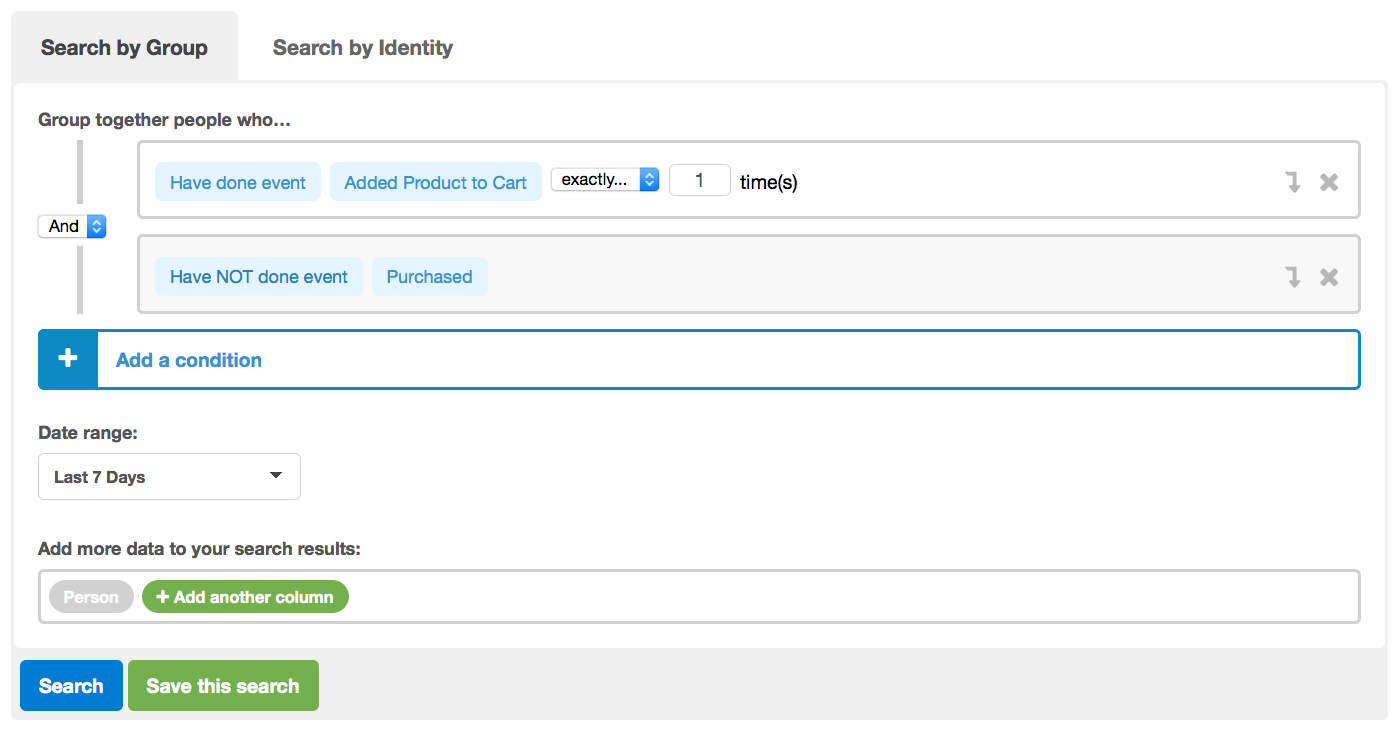
people-search-add-product-to-cart-ecommerce

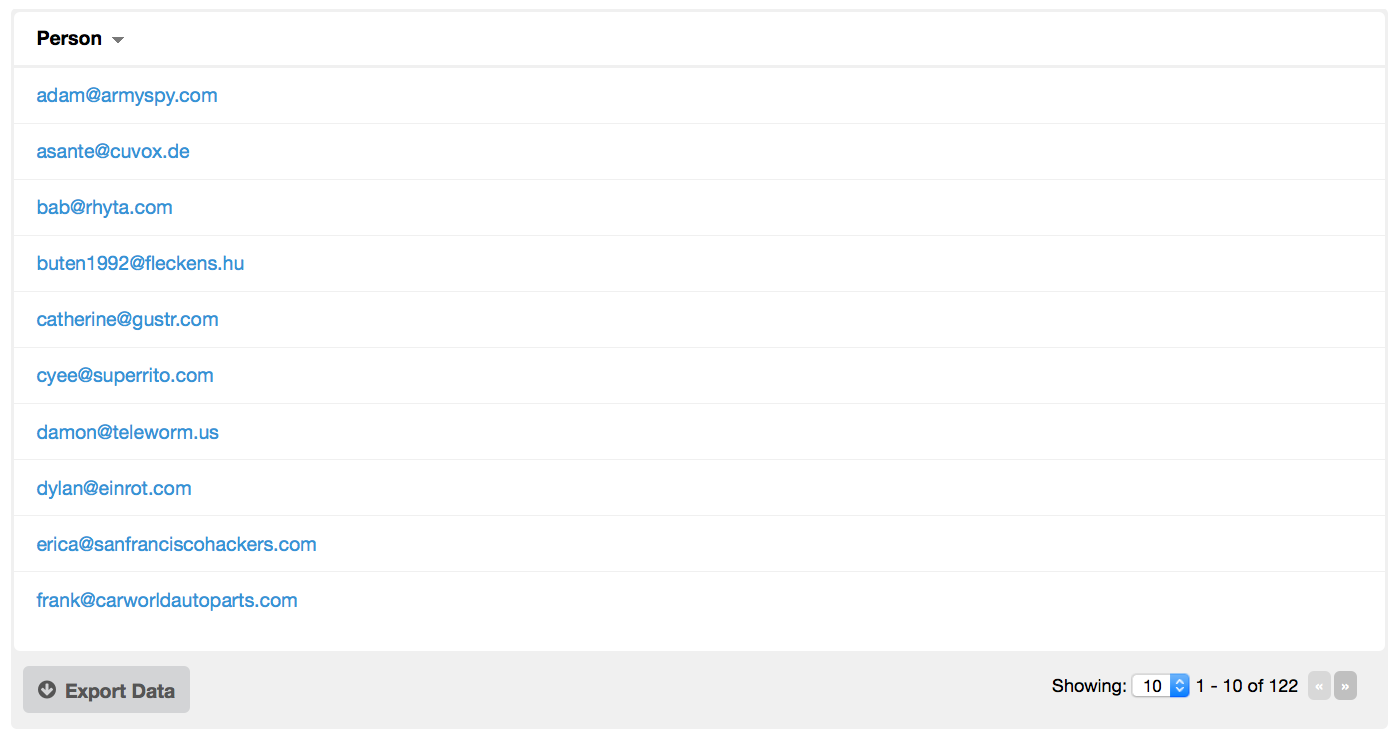
We click Search and get our list of people:
people-search-kissmetrics-cart-abandonment

There are a few things we can do with this list:

  • We can click on each person and get a Person Details report. This will show us all the events and properties the person triggered (i.e., what they’ve done on the site) as well as tell us the last time they were seen.
  • We can export the list to a CSV file and then upload it into an email service provider like MailChimp and send an email to each person to get them re-engaged and hopefully recover some lost sales.

Important note: You’ll get a list of email addresses only under certain circumstances:

Click here to watch a short demo of the Kissmetrics People Search.

Optimize Your Marketing with Kissmetrics

These are just a few examples of what Kissmetrics can do for ecommerce companies. Our reports are more than useless metrics – they provide insights into how users are behaving on your site. Once you see this data, you’ll know what needs to be improved. Once you see this data, you’ll know what needs to be improved.

Head on over to the Demo site and see how Kissmetrics works for ecommerce sites. Or better yet, schedule a personalized demo.

Ready to get straight into the action? Just click the button below to sign up for a free 2-week trial of Kissmetrics.

cta-6-11-2012

About the Author: Zach Bulygo (Twitter) is a Content Writer for Kissmetrics.

3 ways to turn your brand into a social media juggernaut

Juggernaut_thumb
Feed-twFeed-fb

This article is part of SWOT Team, a series on Mashable that features insights from leaders in marketing, brand-building and public relations.

We all know it pays to have a large social media presence (this is a world where companies pay Kim Kardashian an estimated $20,000 per promotional tweet). But short of buying followers or other forms of subterfuge, how can you organically build a powerful following and become a social media juggernaut?
For my new book Stand Out, I interviewed technology opinion leader Robert Scoble, who has built a massive social media following, including more than 450,000 Twitter followers, 650,000 Facebook followers and friends and a whopping 6.6 million followers on Google+ Read more...

More about Google, Robert Scoble, Social Media, Business, and Small Business

Behold the Amazing Power of Twitter Hashtags

Hashtags have long been an important tool on Twitter for helping users organize and sort their tweets. They’re a great way to indicate that your content is relevant to a certain topic and to get your tweets in front of an interested audience.

Just last week, though, Twitter released a new study claiming that using hashtags in your tweets can actually kill your click-through rate. Say it ain’t so!

Actually, I am saying it ain’t so. Not in my experience, anyway. I’ve found that if you use the right hashtags in your tweets, they are insanely powerful and can drive crazy engagement and traffic.

twitter hashtags

For example, my top tweet for the month so far is this one, which uses the #ConvRoadTrip hashtag. Despite earning just 5 retweets, this one tweet had over 28,000 impressions!

top tweet with hashtag

None of those retweets were from ridiculously influential people, yet it had 5x more impressions than my tweets usually get. The secret? This hashtag was for Unbounce’s Conversion Road Trip event, which – as you can see below – reached over 152,000 Twitter users!

hashtag reach

As a bonus, because the tweet included an image, it was “stuck” to the top of that hashtag’s search results page for a few hours, so it ended up getting a ton of impressions.

Now, you do have an advantage here if you have worked on building your Twitter following and are considered somewhat influential. Recently I made this fairly unremarkable tweet about a #Mobilegeddon blog post.

why use hashtags on twitter

Now, if you get early action on your tweet and Twitter deems it popular as a result, it’ll stay at the top of the search results and appear in the Top Tweets for that hashtag until more popular content comes along. If there aren’t a lot of tweets getting interactions, the ones from more influential accounts rise to the top.

Being featured at the top of the search results for #mobilegeddon, a hashtag that reached over 106,000 user accounts and generated over 127,000 impressions, gave me awesome reach and this result:

tweet activity hashtags

If you can tap into a super-hot trending topic, you can really cause your tweets to take off. Even if there aren’t a lot of crazy popular hashtags in your industry or niche, remember that it’s beneficial to build the size of your following and your influence overall.

For example, I tweeted this out during the season finale of Game of Thrones:

how to use twitter hashtags

Holy moly – over 100,000 impressions and 778 retweets! No, I don’t expect that the people interested in Game of Thrones are going to buy something from me. That’s the whole point – if you’re trying to sell all the time and are only looking at your social network as a potential lead base, you’re not getting it. Focus instead on building an engaged, loyal following of people who find you interesting and will share your tweets with their networks.

Here’s another example: I made this tweet about #fifagate using that trending hashtag, which reached well over 350,000 Twitter users.

Hashtags for PR

Somewhere along the line, my tweet reached the author of an article containing the best #fifagate tweets, and mine was included. (This cracked me up.) Of course, media mentions are great for your overall online profile, making trending hashtags a useful tool for PR, as well.

Naturally the real leverage is in Twitter hashtags that are relevant to your industry/business. If you’re not sure which hashtags to use or could use some inspiration, use a tool like Hashtagify.me to determine where you might see the greatest effect.

TL;DR: Most social media marketers already know that it’s important to leverage trending Twitter hashtags wherever possible. What you might not realize is the extent to how ridiculously powerful a trending hashtag can be in terms of boosting the visibility of a tweet, or how huge the benefits are for your overall social presence.

Wednesday, 1 July 2015

Millennials: The Shopping Cart Masters

Millennials may abandon their online shopping carts, but reminder emails should take the right tone - this demographic is far more likely to revisit those carts, even on another device.

Mark Zuckerberg takes questions from Stephen Hawking, Arnold Schwarzenegger in bizarre Q&A

Zuck
Feed-twFeed-fb

Well, that got... weird.

Facebook held one of its regular Q&A Townhall sessions with Mark Zuckerberg Tuesday. Rather than a live event with Zuckerberg answering questions from a live audience, the question and answer session was in AMA format on the CEO's timeline.

But Tuesday's Townhall took a turn for the weird when a handful of Facebook's more high profile users, including Stephen Hawking, Arnold Schwarzenegger and Arianna Huffington, chimed in with their own questions for the Facebook boss.

In what must have been a well-orchestrated PR move from the social network, Hawking, Schwarzenegger and Huffington kicked things off by asking Zuckerberg about his take on science, workouts and journalism, respectively Read more...

More about Facebook, Mark Zuckerberg, Social Media, Tech, and Apps Software

WordStream’s Best of the Month: June

Reading over Margot’s round-up of our most popular posts from May, I noticed she had noticed that we always seem to start these posts with some comment or remark about the weather.

WordStream best of June

With that in mind, I definitely won’t be making any comments about how miserably hot it’s getting, or how much I’m looking forward to fall, and will instead get right to it. Here are the 10 most popular posts from the WordStream blog from June – enjoy!

1. 6 Shocking Things Google Revealed About the Future of AdWords at SMX: Margot’s summary of the announcements made by Google’s Jerry Dischler was our most popular post of the month. Missed the presentation recap? Eager to see what Google has planned for AdWords? Then check out Margot’s excellent post and get ready for the huge changes that are coming.

2. 6 Mind-Blowing Digital Marketing Stats from Unbounce’s Conversion Road Trip: Margot’s been very busy this month, flying all over the country to attend some of this year’s exciting digital marketing conferences – and the Unbounce Conversion Road Trip was no exception. While she didn’t have to go very far to attend the show’s Boston leg, Margot did come away with some fascinating stats from the event, which she shares with us in our second most popular post of the month.

3. 5 Tactics to Become an Outstanding Public Speaker: Margot scores a hat trick for writing the top three posts of the month, and this one is essential reading for any would-be presenters out there. Speaking in front of crowds hanging on your every word can be nerve-racking, but it doesn’t have to be. In our third most popular post, Margot offers five actionable tips for becoming a public speaking powerhouse.

4. The Most (& Least) Expensive States for PPC – New Data: Ever wonder what the average CPC in Arkansas is? Or which states have the lowest average CPCs in relation to state unemployment data? Well, WordStream’s resident data scientists Mark Irvine has you covered with this fascinating post about average CPCs across the U.S.

5. Landing Page Inspiration: 17 Examples to Spark Your Creativity: You know how important landing pages are, but designing your own can be tough. In this post, I examine 17 examples of beautiful landing pages and how you can borrow some of the techniques used to create your own stunning landing pages.

6. AdWords Is a Game. Here’s How to Win: In our fifth most popular post from June, WordStream’s Sales Training Manager Rob Durant explains how viewing AdWords as a game – and Google as the pit boss of the world’s most profitable casino – can help you win at AdWords. According to Rob, you just need to know who you’re playing against (and it’s not Google).

7. 9 Tips to Dramatically Increase E-Commerce Sales with Killer Product Pages: June shall henceforth be officially recognized as The Month That Margot Crushed It. In this post, Margot shows you how to increase your ecommerce sales by creating killer product pages – and there’s more to it than you might think.

8. 6 Stupid Marketing Metrics That Need to Die: In this post, Larry explains why some marketers are blindly following the wrong metrics, why these performance indicators are seriously misleading, and what you should be focusing on instead. A great post that all marketers need to read.

9. 7 Insightful Tips for Super-Effective Local PPC: There’s more to local PPC than geotargeting and ad extensions – a lot more. In this post by guest author Garrett Mehrguth of Directive Consulting, you’ll learn seven ways to make your local PPC campaigns even more effective.

10. 6 Ways to Learn AdWords Without Getting Certified: In our final post for this month’s round-up, I show you six ways to learn AdWords without going through the hassle of getting certified. If you want to learn AdWords without feeling like you’re back in school, check out these great resources.

Well, that does it for WordStream’s most popular posts from June. Now I’m going to lie down in front on an air conditioner until October. See you next month!

grade your adwords account

Tuesday, 30 June 2015

How to Squeeze Every Drop of Valuable Visitor Data from Your Forms (Without Complicated Programming)

It’s the great marketing catch-22: You need visitor data in order to create value-filled, personalized, highly targeted offers. The more information they provide, the greater your ability to build personas that fit your ideal customers.

But your visitors still aren’t convinced. Like jittery fish, you’ve presented them with the tastiest bait, and they’re hesitant to even take a nibble. So how can you get the information you need without scaring them off?

The answer is…

Progressive profiling.

What is Progressive Profiling?

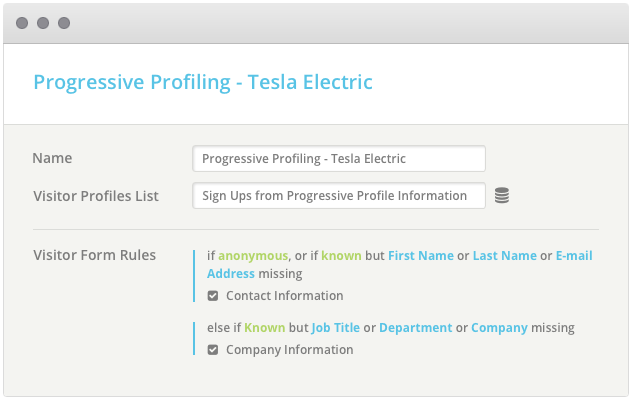
Progressive profiling uses dynamic form fields to ask for and collect information on prospects based on the information you already have about them. Like a first date, it gets to know new customers in a way that’s gentle and unassuming. What’s your name? What’s the best email address to contact you at? How can I help?

Then, as the customer’s interaction with your product or service continues and greater trust and brand recognition is built, more questions are asked – helping you not just capture leads, but build on the intelligence you’ve gained.

Progressive profiling may start with name, email and question, but can gradually lead to vital details that will help you better understand where your prospect is in the buying cycle: are they evaluating products? Comparing features? Focused on pricing?

Asking questions about their timeframe to purchase and where they are in the decision-making process can help you better understand how and where your product fits according to their needs. Understanding how they plan to use the product can give you valuable insights into tailoring your offer across every stage, leveraging the information you already have about them.

How Does It Work?

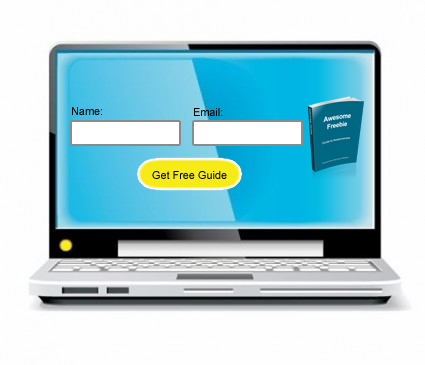
Let’s say you sell a product and you have an email newsletter filled with valuable tips and techniques on using it. As is often the case, your prospective customer is asked for their name and email address. Simple enough, right?

1

They subscribe and get their first couple of newsletters. They’re starting to feel comfortable with your brand and enjoy what they’re getting so far. Here’s where the progressive part comes in. You’ve got another freebie for them – you just need a bit more information about how they plan on using your product, when they plan to purchase, and approximately how much they plan to spend.

Since you don’t need their name and email address again, the form simply asks the relevant questions you’ve set up. This information helps you gradually begin to understand this customer based on how much they’re willing to share as your relationship with them progresses.

2

Obviously you’ll want to space these out and give as much as you get – take the time to answer questions, clarify features and options, and so on. Don’t expect the customer to be receptive to answering personal questions by day 2.

Don’t Forget Your Best Practices

In addition, you’re not going to want to throw best form practices out the window when implementing progressive profiling. Things like:

Being Clear about What Information is Needed (And How It Should Be Presented)

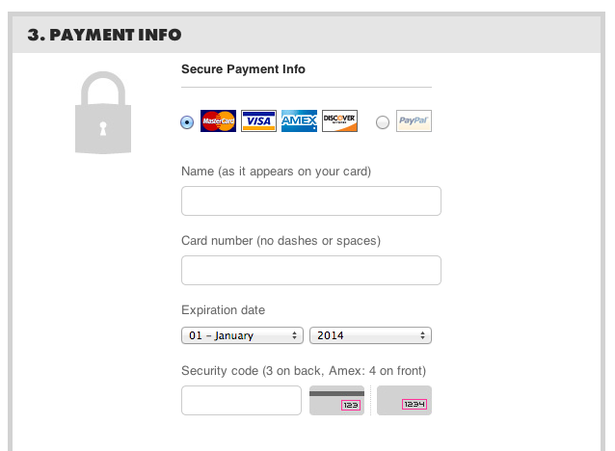
credit card threadless

This example from Threadless tells customers precisely how to enter their payment information.

Explaining, if Necessary, Why Certain Information is Needed

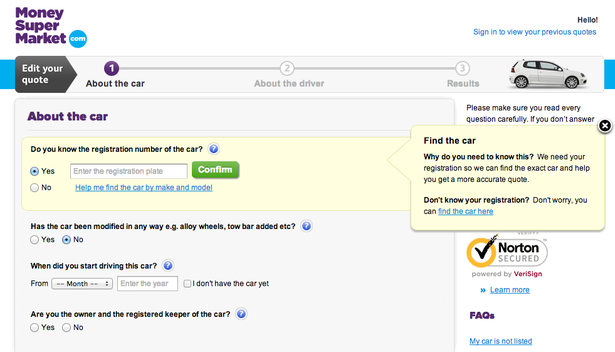
The example below, from Money Supermarket tells people why they need the registration number of their car.

money-supermarket

Source: eConsultancy

Make sure your reasoning is reasonable – Money Supermarket could have said, “We need your information to help get you an accurate quote”, but it still wouldn’t answer the prospect’s why? The fact that they need it to find that same exact car and get you a quote is much more sensible.

What Happens After They Subscribe?

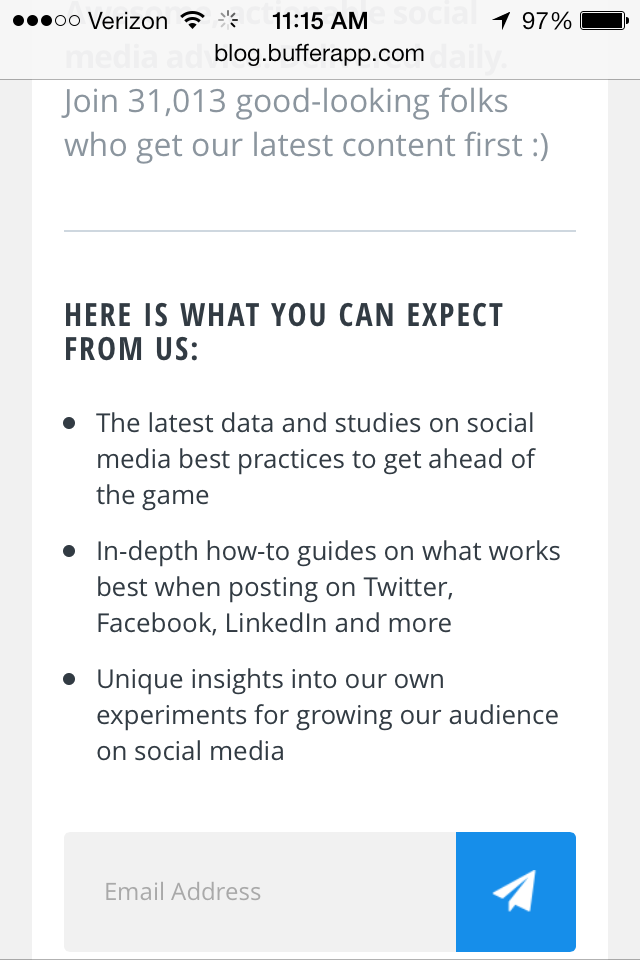
And finally, don’t forget to be clear about what happens after the sign up process is complete. How can they download the freebie? How often will they receive email newsletters? Can they unsubscribe or change the frequency? And so on.

expect-buffer

BufferApp sets newsletter expectations before asking for subscribers’ info

How Can You Implement Progressive Profiling?

Progressive profiling is a relatively new function, but there are a variety of solutions on the market that make integrating it into forms easy and hassle-free. Oftentimes, you can do this without any programming knowledge at all. Here are a few services that offer Progressive Profiling as part of their systems:

Salesforce Pardot

progressive-salesforce

Adds a progressive profiling feature that ties in with your existing use of Salesforce Pardot

HubSpot

progressive-hubspot

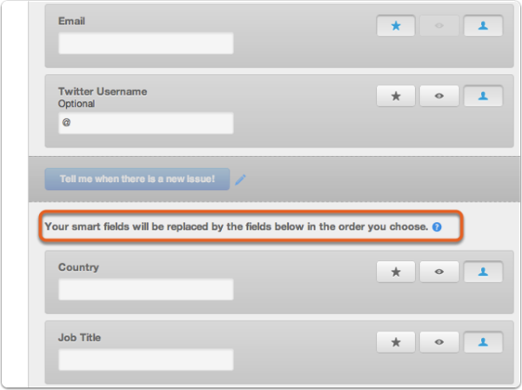
HubSpot refers to progressive profiling form capabilities as “Smart Forms” and provides a variety of best practices you can follow when implementing them.

Act-On

act-on

As with other services, Act-On lets you define a set of rules for which other form fields will display. The site also provides an example tour through how its Progressive Profiling system works.

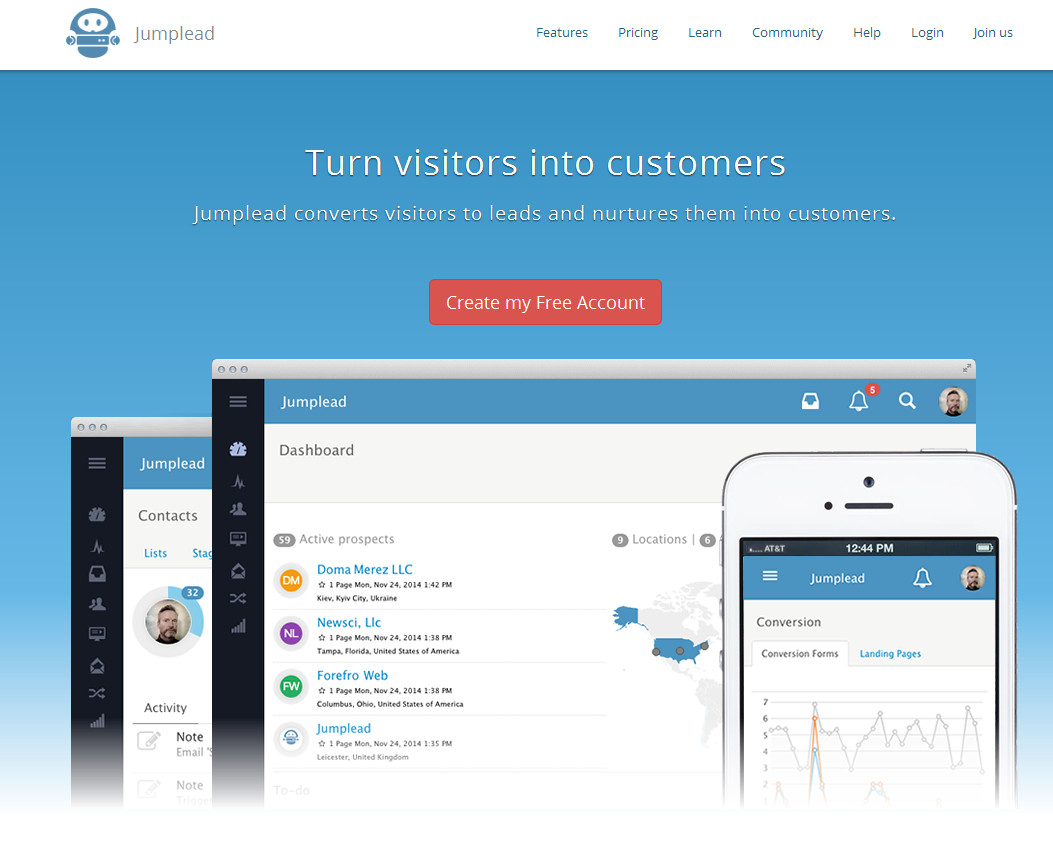
JumpLead

jumplead

An example of the JumpLead dashboard

JumpLead is a sort of marketing automation/lead generation platform of which progressive profiling forms play a role. Like many of these other solutions, they offer a full scale of marketing automation tools. For WordPress users, JumpLead also has a plugin that can integrate progressive profiling into their existing WordPress system.

How to Get the Best Possible Results from Your New Progressive Forms

It’s easy to fall into the tempting trap of asking for more and more information through more and more form fields as your relationship with the prospect progresses. However, small bits over time (and depending on the customer’s stage in the product’s overall lifecycle, as well as their buying cycle) will help foster a reciprocal relationship while giving them the personal attention and nurturing they crave.

And don’t forget, progressive profiling is just one tool of many designed to help improve your forms and increase your conversion rates. As with any tool, it’s not a silver bullet – it’s all in how you use it. By making progressive profiling a part of your overall sales and conversion optimization process rather than looking at it as “yet another form component”, you’ll be poised to start forming lucrative customer relationships built on a foundation of mutual trust, understanding and expectations.

Now It’s Your Turn

Are you using progressive profiling in your own lead generation forms? How has it worked out for you so far? Share your success stories and triumphs with us, as well as your thoughts on this unique practice in the comments below!

About the Author: Sherice Jacob helps business owners improve website design and increase conversion rates through compelling copywriting, user-friendly design and smart analytics analysis. Learn more at iElectrify.com and download your free web copy tune-up and conversion checklist today!